Resource Packs in Singleplayer & Realm
You can use your own custom texture packs in your singleplayer worlds and on Realms — not just on servers! This takes a few extra steps because of how consoles handle resource packs.
Singleplayer works again from version 4.0.88. Update the app in the App Store or on Google Play. Up to 4.0.83 the Singleplayer row at the top of the Custom tab shows "Currently unavailable" and there is nothing you can set up.
Singleplayer and Realm texture packs are a Premium feature. Only texture packs work — shaders, modpacks, skin packs, and behavior packs are not supported.
You need a free pack from the Marketplace called "Wilderness Bound: Haunts and Harvest" (made by Mush Co). It's completely free. BedrockConnect hides your own pack inside it, so your world thinks it is just using that pack.
Step-by-step guide
Follow these steps in order. They might seem like a lot, but each one is quick and simple.
Step 1: Get the free pack
Open Minecraft on your console. Go to the Marketplace and get the free pack "Wilderness Bound: Haunts and Harvest".
Step 2: Activate it in your world or Realm
- Singleplayer
- Realm
Open the world you want to use your pack in. Go to the world's settings, then Resource Packs. Find Wilderness Bound: Haunts and Harvest and activate it.
Go to your Realm's settings. Open Resource Packs and activate Wilderness Bound: Haunts and Harvest on your Realm.
You should see the pack under ACTIVE in the resource pack settings.
Step 3: Delete it from Global Resources
This step is important — don't skip it!
- Go back to the Minecraft main menu
- Go to Settings → Global Resources
- Find Wilderness Bound: Haunts and Harvest
- Activate it there
- Confirm when asked
- Now delete it
Yes, you activate it and then immediately delete it. This sounds weird, but it is necessary.
Step 4: Set up your pack in BedrockConnect
- Open the BedrockConnect app on your phone
- Go to the Textures tab
- Import the resource pack you actually want to use
- Turn it on so it moves to Activated (this is Premium)
Step 5: Restart Minecraft completely
Close Minecraft completely on your console. Not just go to the home screen — actually close the game fully. Then open it again.
If you don't fully restart Minecraft, your pack won't load.
Step 6: Start Singleplayer and join it
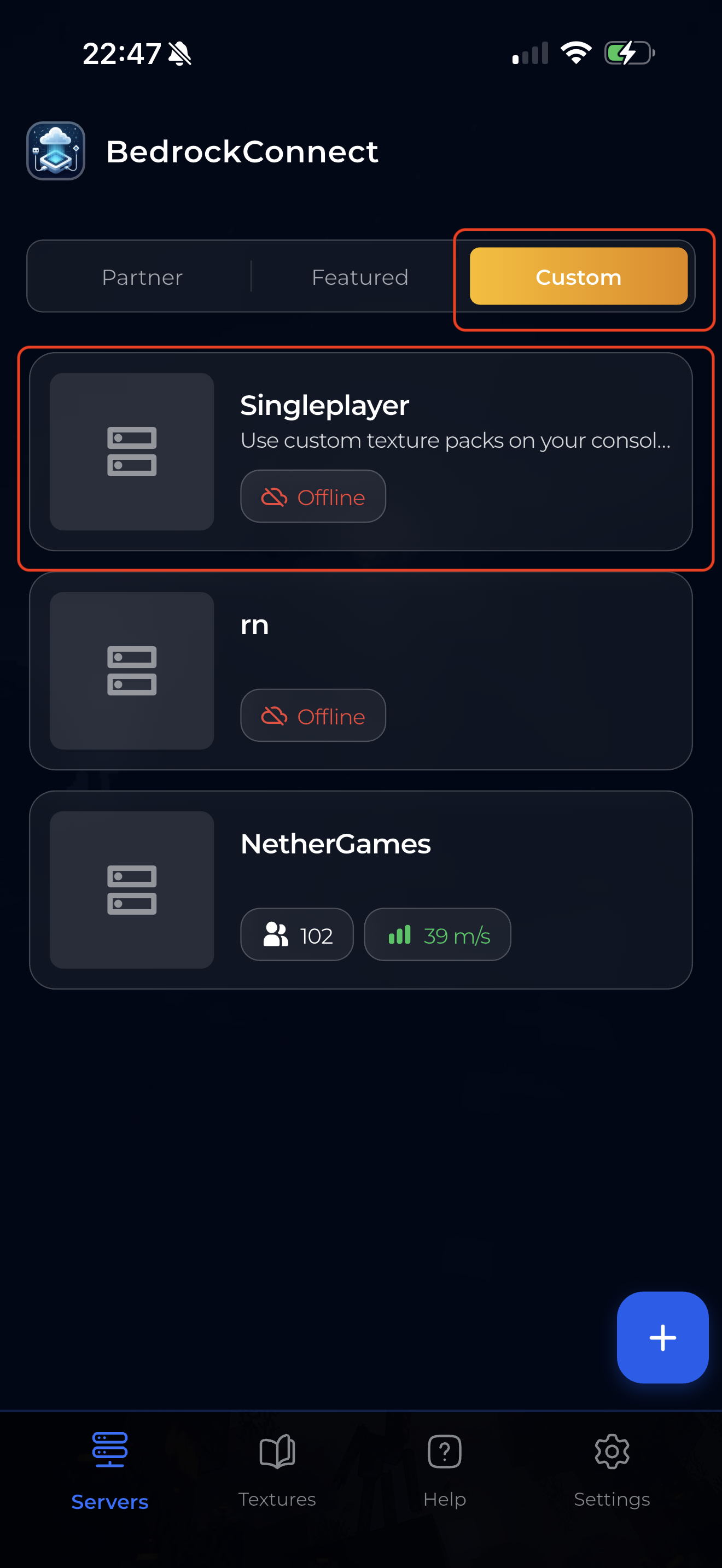
- In BedrockConnect, open the Singleplayer entry at the top of the Custom tab
- Tap Start
- On your console, open Minecraft and go to the Worlds tab
- Join the BedrockConnect LAN World and wait until it has loaded
Keep the app open on your phone until you are in.
Step 7: Open your world or Realm
Leave the BedrockConnect world, then open your world (or Realm). Your pack is now applied!
Good to know
- Friends can join with different packs — if your friends also have BedrockConnect set up, each person can use their own texture pack in the same world
- Only texture packs work — shaders, modpacks, skin packs, and behavior packs are not supported
- Switching packs — to use a different pack, change it in the Textures tab, close Minecraft completely, and do step 6 again
Troubleshooting
My pack doesn't show up in my world or Realm. Check these, in this order:
- Step 2: is Wilderness Bound: Haunts and Harvest under ACTIVE in your world's (or Realm's) Resource Packs?
- Step 3: did you activate it in Global Resources and then delete it?
- Step 5: did you close Minecraft completely and open it again before step 6?
- Step 6: did you wait in the BedrockConnect world until it had fully loaded, with the app kept open?
Then leave the world and open yours again. Still not working? Send a connection log to support on Discord.
The Singleplayer row says "Currently unavailable". You are on an old version. Update BedrockConnect to 4.0.88 or newer.